
Bible Software for the Mac
 If you are looking for Bible study software for the Mac you aren’t alone. On Windows there are quite a few options – even great free ones like Online Bible and e-Sword. I did a lot of “poking around” for low cost and free solutions. The only real solution I found, that was native to the Mac, was MacSword. MacSword is a port of the open source “SWORD Project”. It didn’t do much for me, though it had great integration with the large Sword project library.
On Windows I used e-Sword, and I had bought a couple of modules for it (like NASB translation). I decided to look at running e-Sword on Mac using virtualization or emulation. Since I only have 1G of RAM on my MacBook I immediately tossed the idea of a tool like VMWare Fusion (which would have been easy and effective). I looked at using the Windows emulation software called “wine”. I already own a copy of Crossover, a paid supported version of the “wine” project.
I was able to use e-Sword on the Mac, and it works pretty well. The verse navigator box causes it to crash, but everything else works so far. Here are two options I found for installing it.
1) Get Mac e-Sword Package. This package bundles the free version of Wine with an e-sword distribution. You can click, install, and run. I found the tool worked fine but was a bit slow. This was totally free and simple!
2) CrossOver with e-Sword. Since I own CrossOver which has the latest Wine code, etc. I decided to try it out. First I installed IE6 with CrossOver to create a Windows 98 “bottle” as my default. I then ran the installer for e-Sword using the CrossOver control panel. This worked fine and product started normally and works much faster than the one using the Darwine wine package (above). CrossOver costs $30 but it’s a great product. You can easily install Quicken, IE, Office, and many other windows programs easily onto the Mac.
Regardless of how you install it, I would recommend following these instructions for turning on font smoothing. Enjoy!
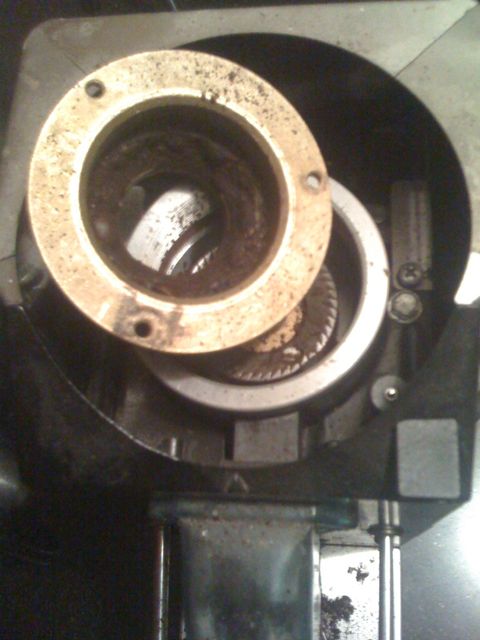 I unscrewed the plate that holds the hopper and unthreaded the top burr. Yup, a 1/4 inch of yucky oils and residue. I got it all clean and cleaned the small cavities around the bottom burr. Fixed right? Nope, another dead end. Time to clean the machine.
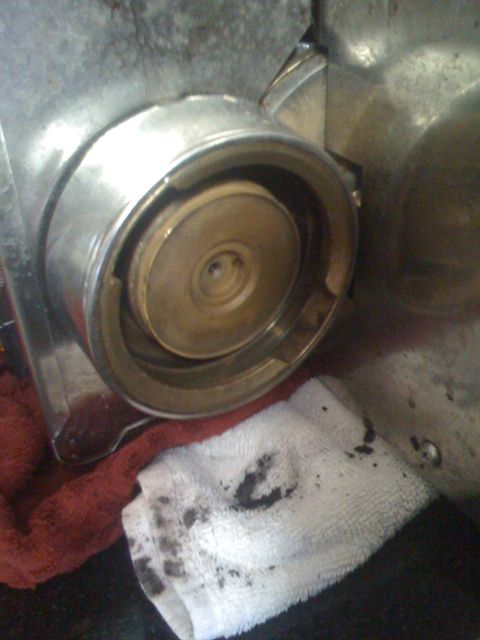 After emptying the machine and turning it on the side I wrestle out the gasket. Prying it out from the innermost part seemed to be the trick. To say there was a lot of oil and burnt reside in this area would have been an understatement. After removing it I used a standard espresso cleaning brush to get every corner of that brass brew head clean. Putting the new gasket in was simply, insert smooth side down and push. Next I backflush. I first put the knobby part of this rubber stopper down into the spout (made sense to me) but it didn’t seal, upside down did the trick. I flushed it several times and let it sit for a bit, then cleaned it out and backflushed again with water. After putting it all back together I pulled a couple shots with old beans.
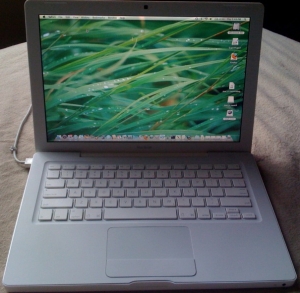 For a while I’ve wanted something a little more useful than my iPhone when I’m not at a computer. I had a Toshiba laptop, but wanted something smaller with a longer battery life. I started looking at the netbook models, and these caught my eye: